92.7%of the contiguous U.S. gets a recorded property line
50+institutions cited behind the care data
Problem + Context
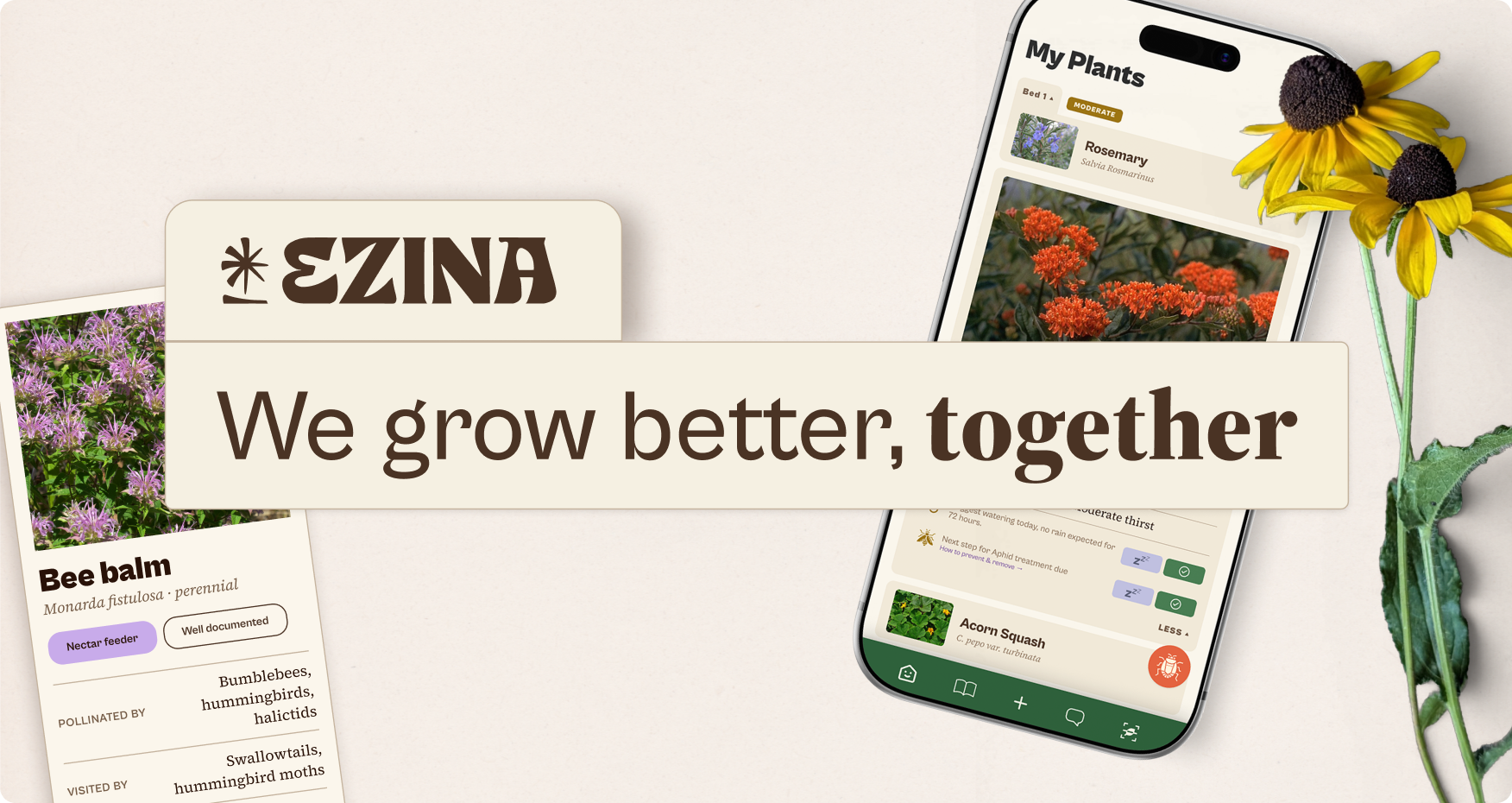
If you’ve ever looked up how to care for a plant, you’ve seen the mix: opinion and fact side by side, with no way to tell which is which. Outdoor gardeners get the worst of it. Most apps stop at drag-and-drop planning and run on vibes, or on a “built by plant lovers” tagline.
Ezina’s promise is narrower and harder to keep. Every care claim carries a source, and where the evidence is thin we say so. That promise set the brand, the design system, and most of the engineering that follows.
Is there a business here? The market case, and the economics at small numbersmarket sizing · 2 min
People in the U.S. spend $3.4B a year on houseplants and $79B on lawn and garden. The apps sell on their own too. PictureThis takes in around $60M a year. That puts a $4.6B ceiling over a $700M plant-care subscription market.
The economics have to work while Ezina is small, so that’s how I modeled them. At $70 a year, with organic signups costing close to nothing, a member returns about $116 over their life with us. That stays above 20 times what it costs to bring someone in, even after we start paying for growth.
Growing on word of mouth alone, Ezina reaches about 14,000 paying members and $0.9M a year by year five. That’s under 0.2% of the market. Paying for growth would lift it 5 to 10 times, toward $4M to $8M a year, and still leave us under 1.5% of the people it could serve.
I’m in conversation with university extension programs about licensing their care data. Nothing is signed yet. When it is, it goes on this page.
TAM
$700M+
subscription market only
How I built it.
Claude Code was used heavily as a guide to understand how to build back to front end, with React being the codebase for app deployment on iOS and Android. Supabase serves as the backend, with Resend and Cloudflare managing web and user signups.
Market research identified two major user complaints, payment/paywalls, and accuracy. In addition there's an issue of a lot of these apps looking the same, or being poor user experiences through my own testing. Menus aren't clear, flow is gated, and the amount of clicks to get what I want was annoying.
The key decision.
01
Defining core identity
I set out with two goals, providing research backed guidance, and being transparent about it unless it hurts me. From a visual standpoint that meant a mix of educational but supportive. We don't leverage anxiety in our core messaging, no gamification in our designs, just facts and being honest when we're currently not sure.
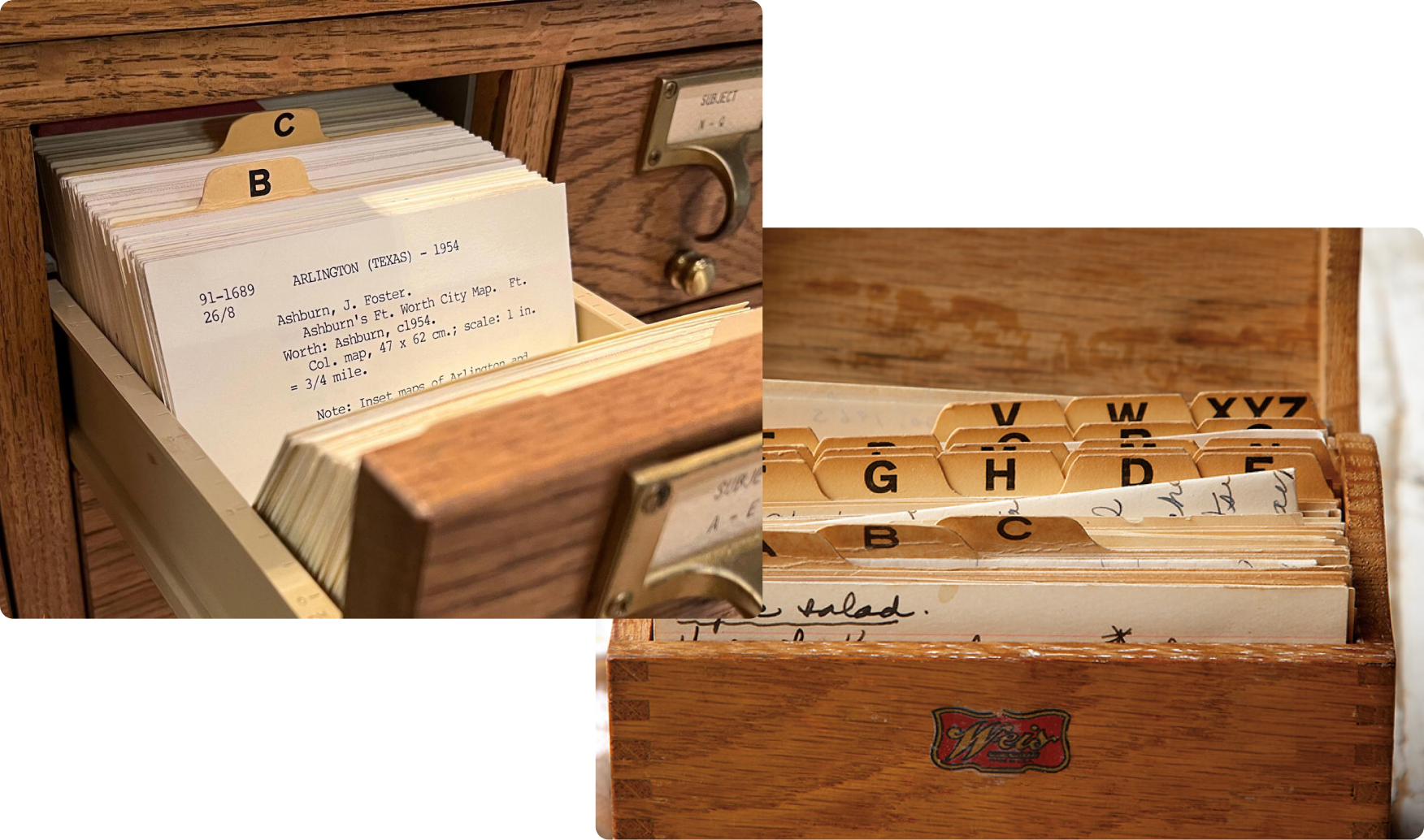
For the core visual palette and stylings, I went back to card catalogs and old recipe boxes. They’re tangible, highly organized, informative, and easy to access. The simple tab based structure isn’t something I’ve seen used in a product, and the concept resonates clearly with the core brand tenets.
02
Naming
For naming, I leaned on a personal love of ancient history, matching names against actual market usage, registration, and trademarks. The final choice of EZINA, comes from ancient Sumerian mythology, she was sometimes depicted as the goddess of grain. The accompanying mark is partially Sumerian cuneiform for god or goddess, adjustments were made to bring it more into the world of nature instead of incised clay.
03
Typography
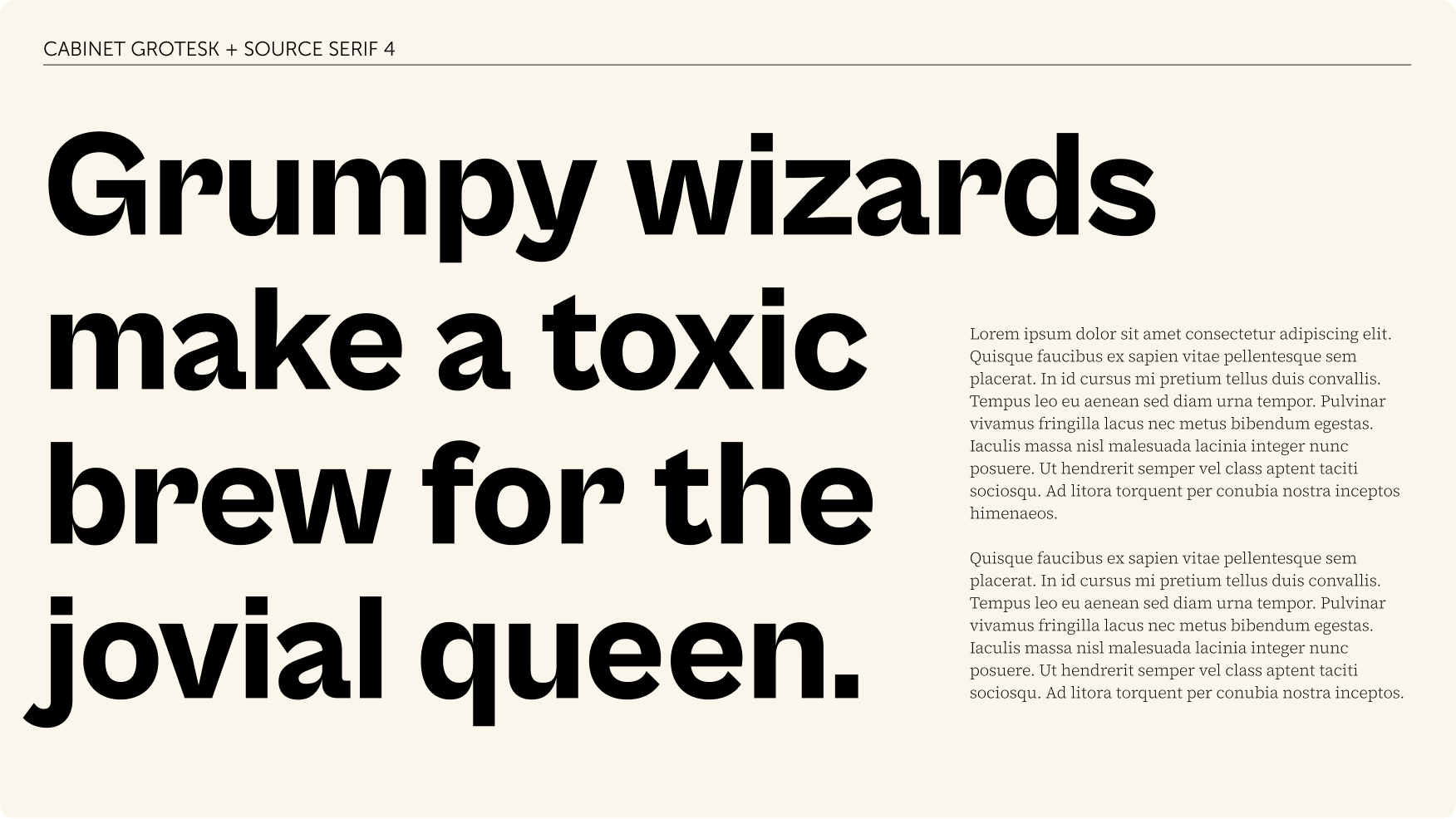
The mix of educational but pleasant to look at means a hybrid approach to text treatments. Cabinet Grotesk was chosen for its increasing similarity to the logo at heavy weights, with its smooth indenting curves, and narrow cuts and eyes. It reads very dry in large sections of copy, so we primarily use it for headers and labels. It also lacks any italic/oblique versions. For the body copy we went with Source Serif 4, a clearer homage to educational texts that lays in well in large volumes, and its subtle tapering in the serifs flows well with Cabinet. Both selections are Open-Source, a clear nod to what Ezina is built on and following our motto of "Grow better, together."
04
Colors
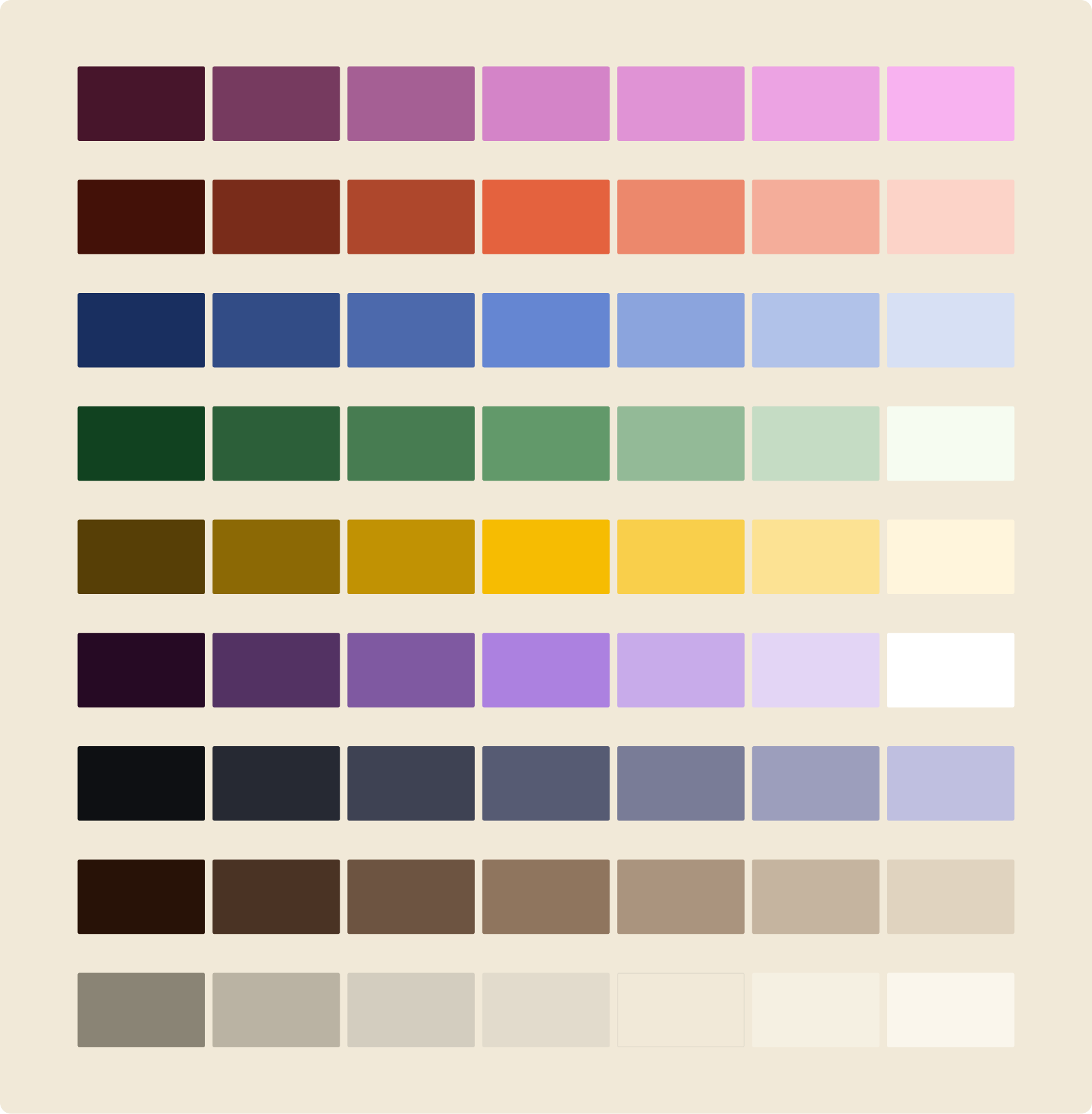
Most plant based apps use 2 colors, white and green. While green can be a great signal to viewers as to what this app applies to at a glance, it's a secondary color at best, typically tertiary that grounds other options. We went with an eggshell as our base, soft but earthy. Neutral but more memorable. The palette is NOT final, and I expect tweaks based off user feedback from Alpha testers.
05
The system scaled over time
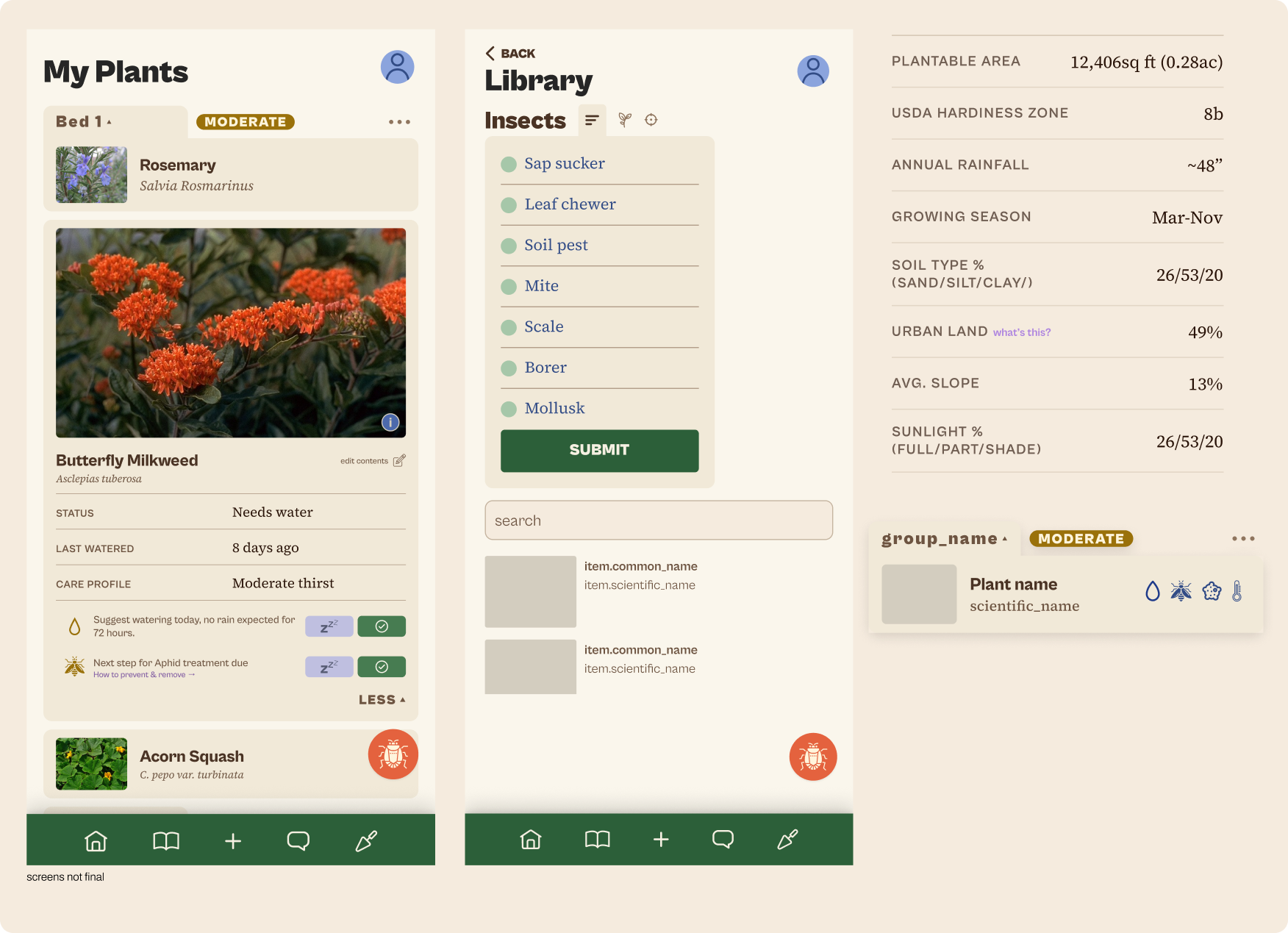
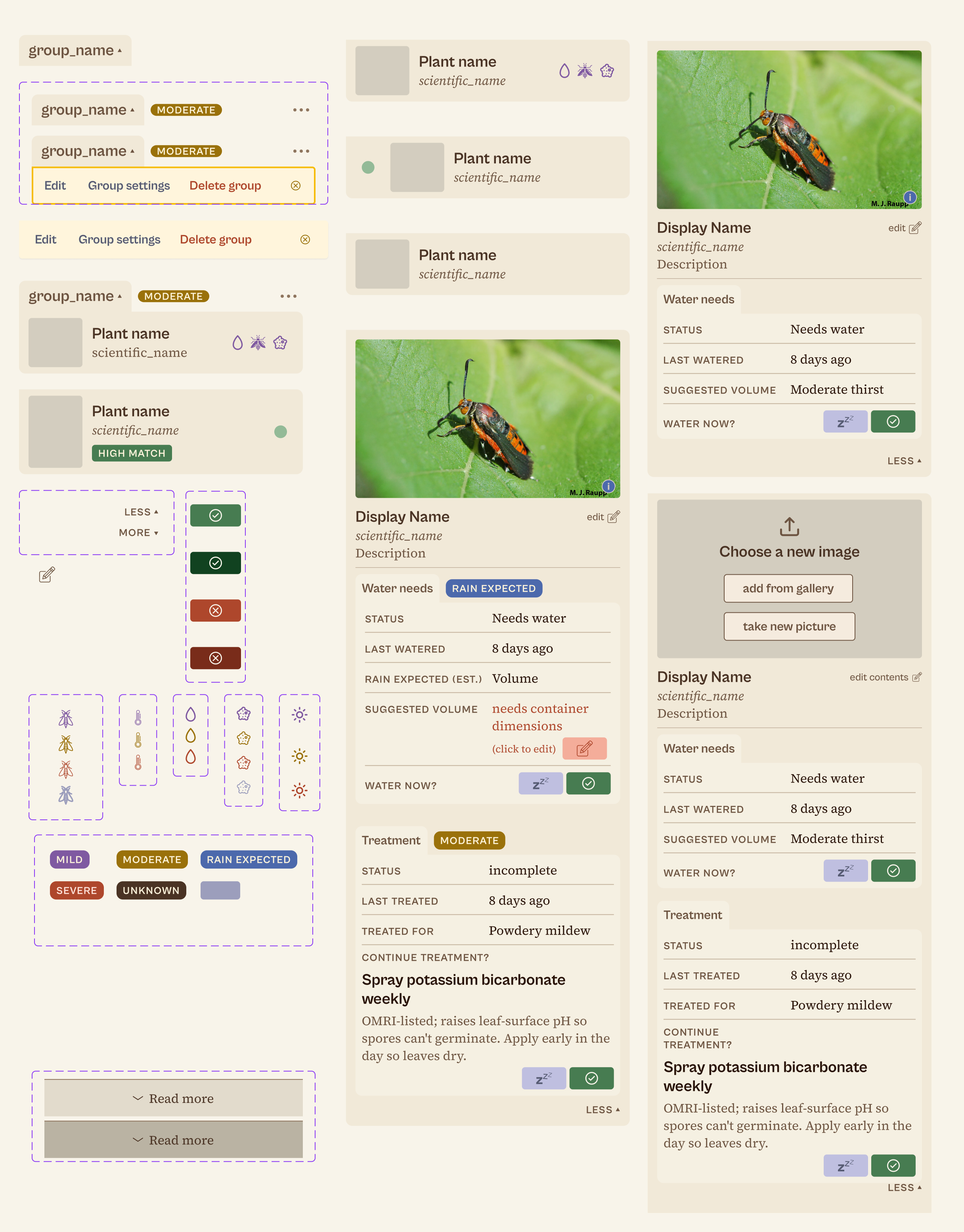
Two different things hold the app together, and I built both. Variables — 340 of them, in two tiers: 129 primitives and 211 semantic — mean a screen never names a colour, only a role, so it asks for surface/card-light rather than a hex. Components — 129 of them, curated into 16 sections — mean a screen never rebuilds a pattern someone already solved. The migration that proved it: 77 hand-built headers collapsed into one screen_header with five variants, each carrying the padding of the header it replaced, so not one screen shifted. Spacing sits on a 4px multiple, nothing renders below 13px, and a plugin I wrote binds raw text nodes to styles in bulk.
The same pieces, left to right: a group label and a status chip, then the cards they build into, then the whole plant detail card with water and treatment in it. Every row on the right is made of the parts on the left.
06
The initial core flow
Getting a user in quickly so they feel rewarded for their time, and see the value of the system before onboarding, matters for retention. The loop is short on purpose: photograph a plant, confirm the match, and put it somewhere that decides how it gets cared for.
Six taps from “what is that?” to a plant that knows where it lives.
07
Education through exploration
Common plant questions boil down to one of the following:
What is this?
Why is it like this?
What should I do?
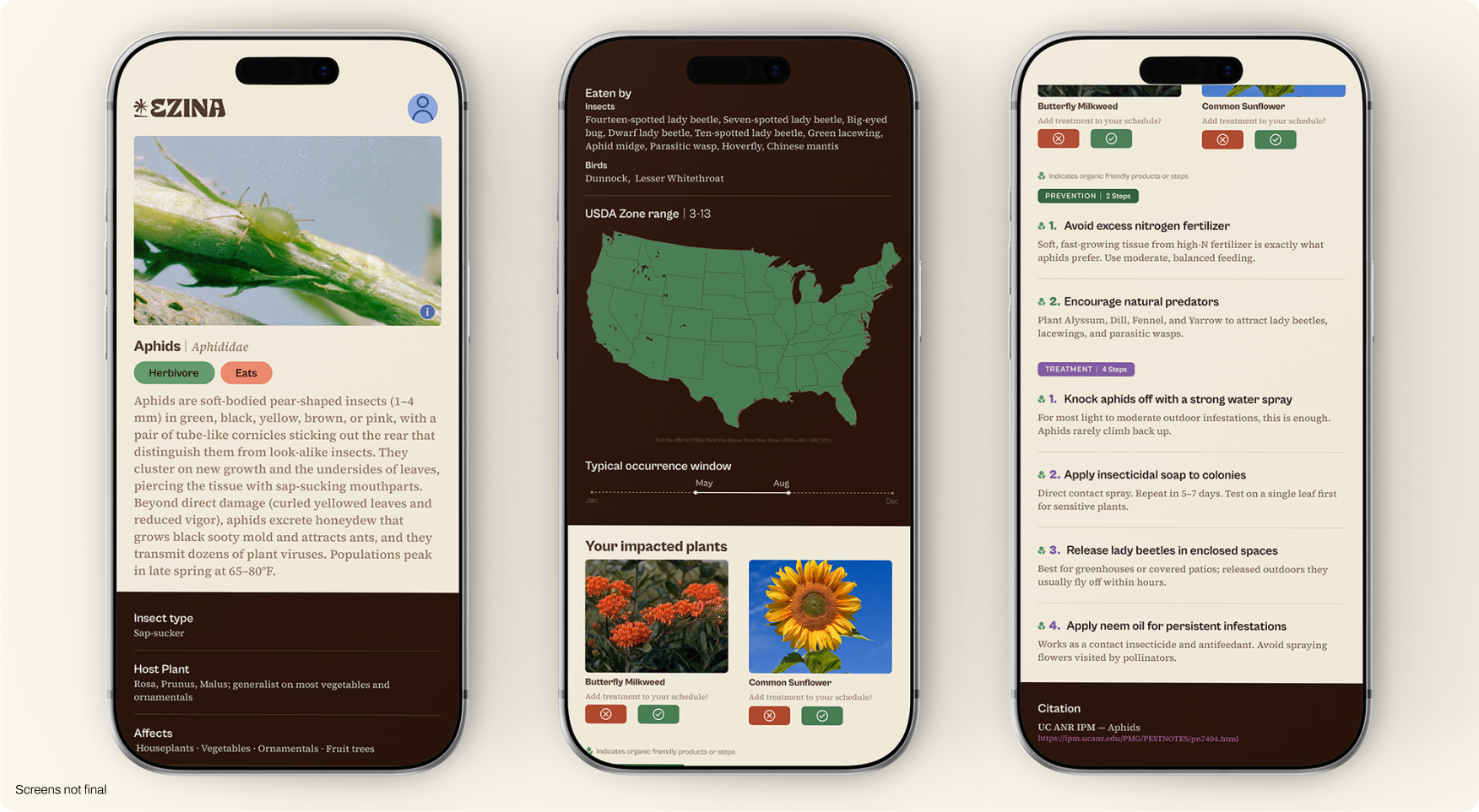
The Ezina Library has cross referenced information, with photoID capabilities that allow users to view, learn, and confirm treatment for potentially impacted plants. All photos contain proper accreditation viewable on click and prevention/treatment having a citable source instead of just best guess. The zone maps and occurrence windows were designed once, then Claude built all possible permutations that are lightweight SVG's that can be swapped in as needed.
08
Marketing site
Creating a memorable brand experience before launch is important. I heavily utilized the tab treatments throughout for better organization on z axis stacking of containers as needed. The inclusion of select cards from the UI provides soft suggestions to the user of what to expect without spelling it outright. It also gives the brand space to showcase the beauty of nature, which resonates with the audience.
The homepage from the hero through the first sections, at reading pace.
How Dig is explained on the site: the assessment builds up a layer at a time as you scroll.
09
Ezina Dig: Learn the ins and outs of your property
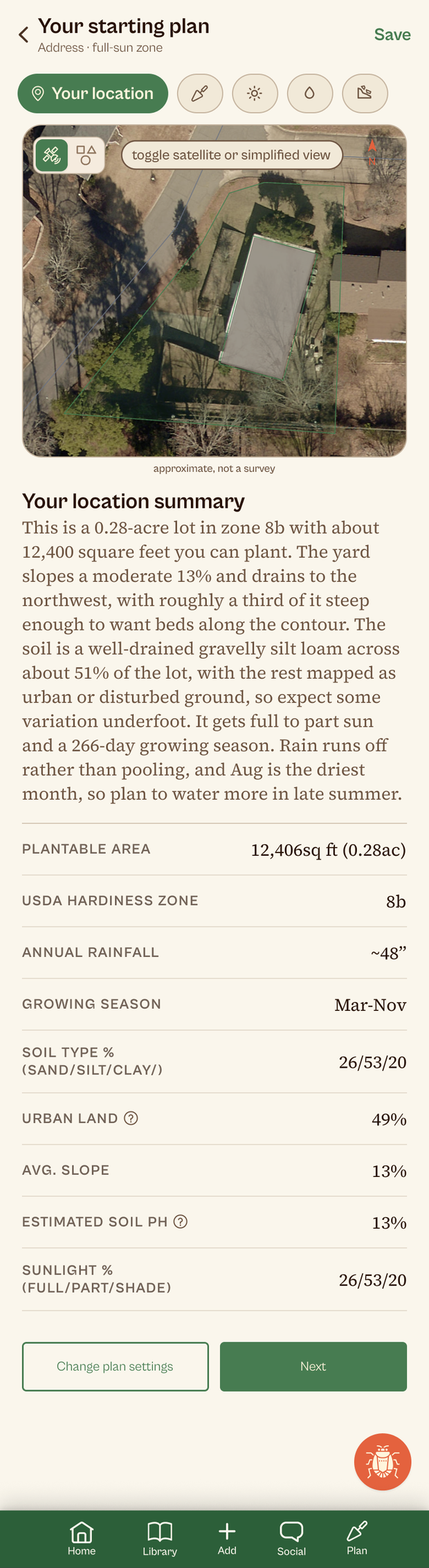
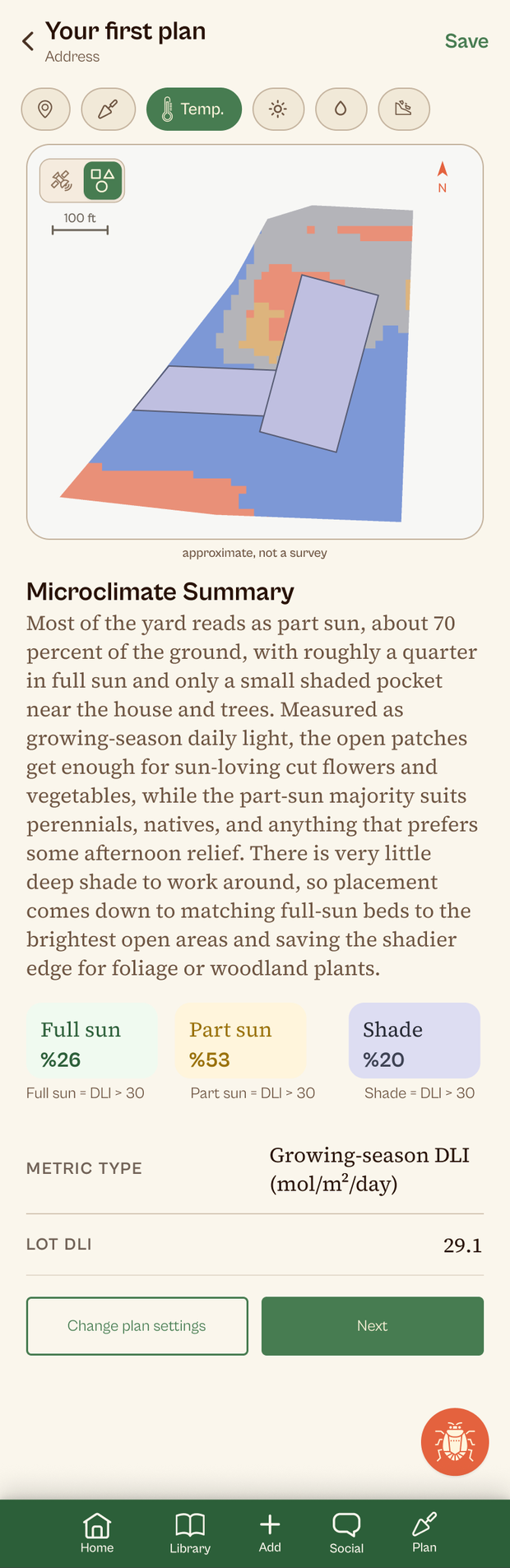
Dig turns an address into a site assessment (property line, sun and shade, runoff) and then into a planting plan. The decision that mattered was refusing to trust our own output. Every ray started at the top of the surface model, so ground under a tree got credit for sunlight that never reached it. At the validation property that sold about 1,200 sq ft of shade as the sunniest part of the yard, and it could flip a whole plan to full-sun plants, then put the beds under those same trees. Fixing it turned a coin flip into a clear call.
Under the hood: How I reduced processing time by 92%engine internals · 3 min
For a long time Dig only knew one county. It now routes by county FIPS through a registry of county and state cadastral services, and when it hits a county it doesn’t hold, it goes looking at request time and keeps what it finds. Now 92.66% of people in the contiguous U.S. get their recorded property line instead of a guess. Where no service exists, Dig draws its best estimate and shows you the satellite imagery so you can draw it yourself before doing any further calculations.
Dig was also slow and unpredictable to start with. The proof of concept waited on public map servers, leaned on a paid elevation service whose terms don’t cover what Dig does with it, and marched far too many rays through plain Python to work out what light reached the ground.
I rebuilt it. I hold my own copy of the road and building data, the raycast is compiled rather than stepped cell by cell, and the surface comes from USGS lidar read straight out of Amazon S3. Google Solar is gone. The new output matches what Solar returned almost exactly, and it runs up to 11 times faster.
FINAL RESULT
120 → 5 seconds
first call on proof of concept to new model.
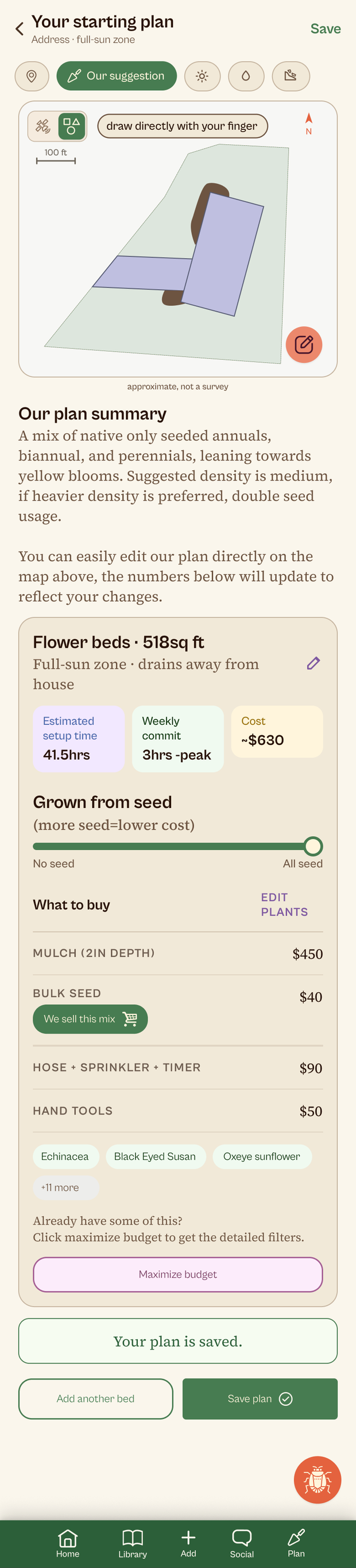
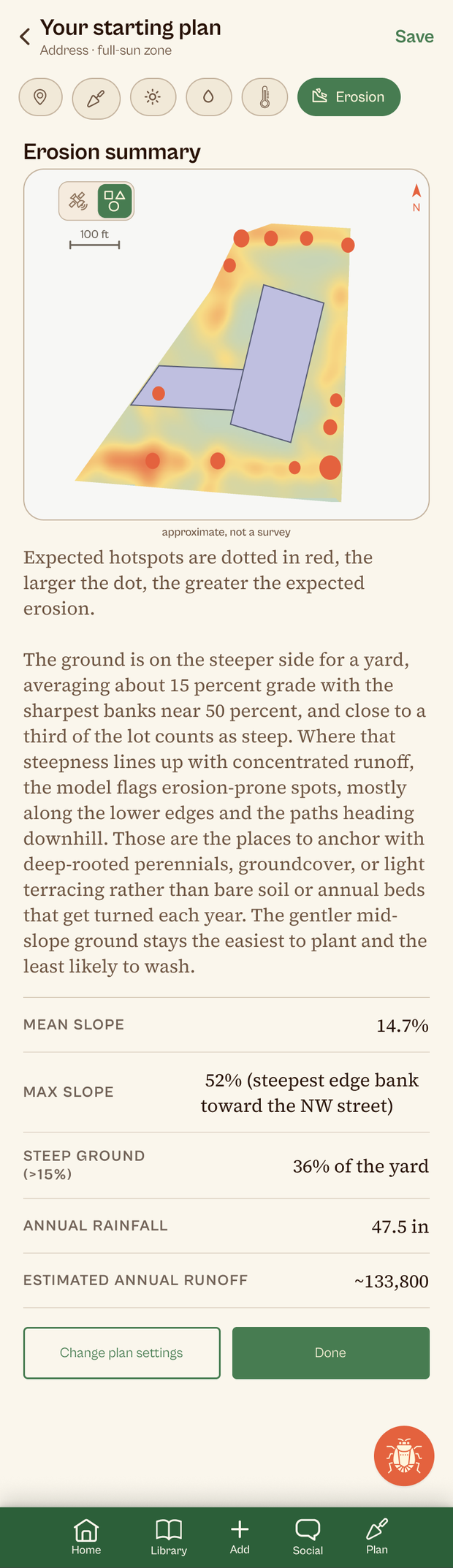
Current Dig screens: the suggested plan, the lot on satellite, the sun and shade map, and the erosion read, which marks the ground most likely to wash.
10
A bed you can actually go build.
The bed canvas places real plants at real spacing. Tap for one specimen, drag for a block, and the rows count out the way the extension formula counts them. When two spacing envelopes overlap they stay visible, because crowding is information and hiding it would cost you the one thing the drawing is for.
A square-foot toggle switches the same bed to a one-crop-per-square grid. Every count is cited per crop rather than worked out from spacing, so four crops with contradictory sources carry no number at all. Ask in October and the plan answers with garlic.
Try it!
Layout
Square foot gardening
A 1 ft grid with one crop in each square, planted at the count the method gives that crop.
Search, drag and drop plants onto the bed. Spacing adjusts itself as you go. Drag a plant to move it, or select it and click the red x to delete. Drag a block's handles to resize it (Shift+Alt+arrows). Sample of 25 crops, the app covers over 170.
Live, not a screenshot: drag a crop onto the bed and spacing, warnings and the ecosystem read all recompute. The square-foot toggle switches the same bed to a one-crop-per-square grid.
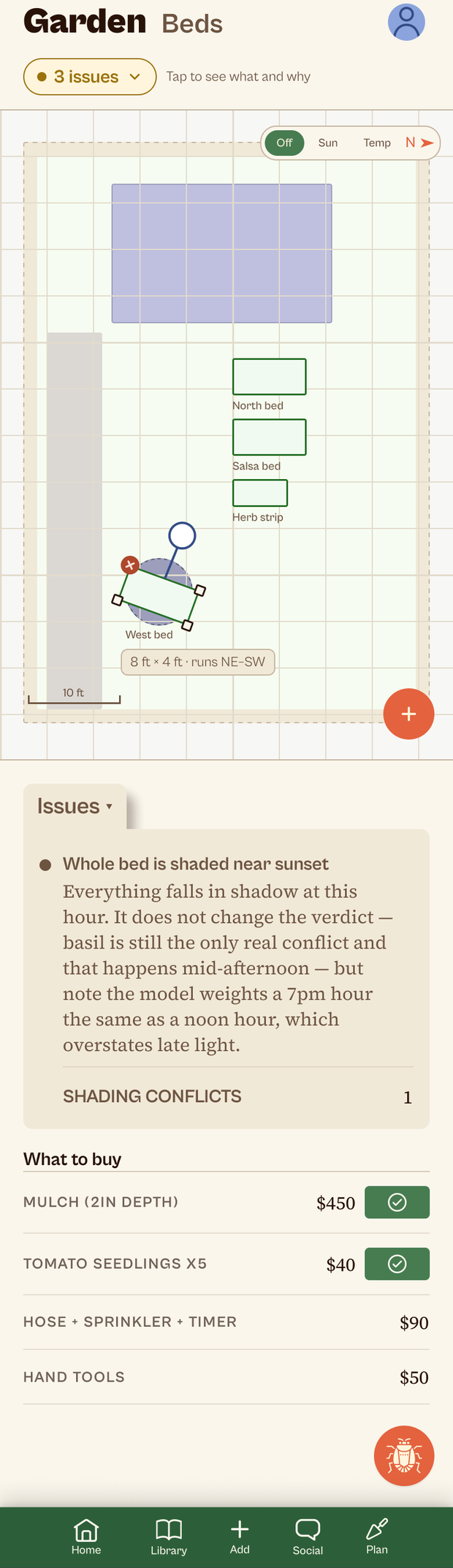
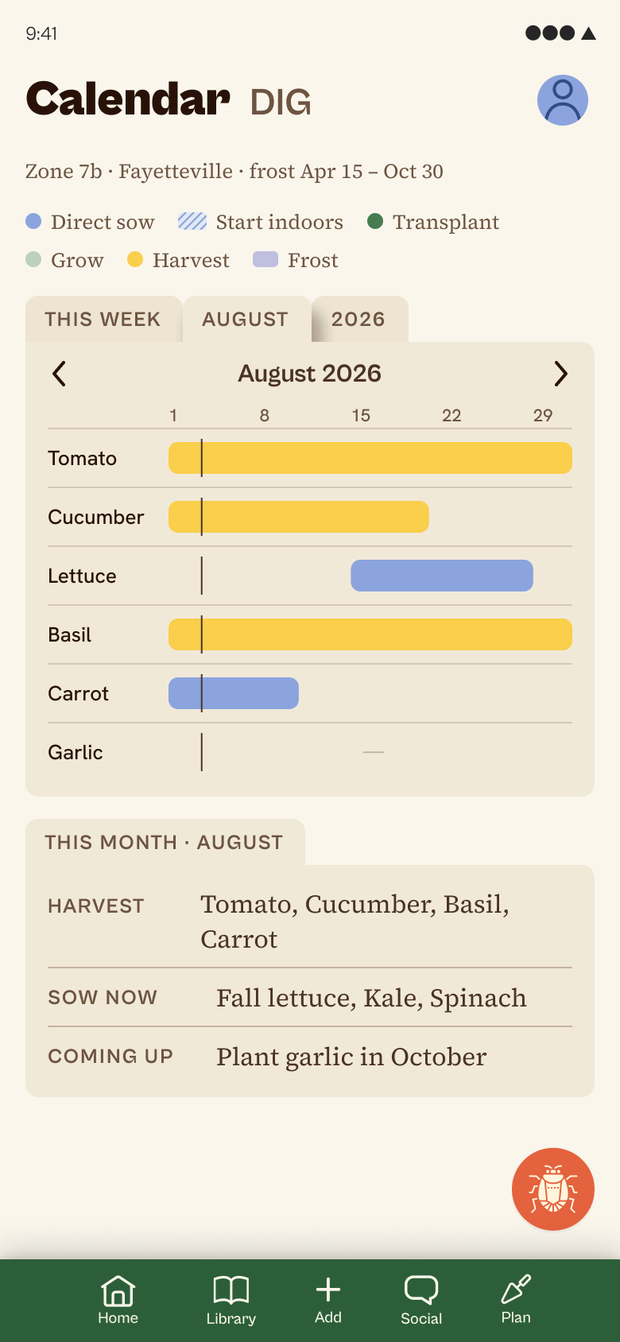
In the app the same beds roll up to a garden view that flags problems across every bed, and to a calendar that answers what to sow, harvest and plant next in this region.
11
Tooling, because there is one of me.
There’s one of me, so the tooling has to do the work of staff. A watcher checks in-app reports, Sentry and the support inbox a few times a day, dedupes them, and sends one digest. For a bug it can reproduce, it opens an isolated worktree, finds the cause, and leaves a candidate fix on a branch it has no ability to push. I review and merge it, so nothing reaches production unread. The same pattern reports what people searched for and which pages Google can’t crawl.
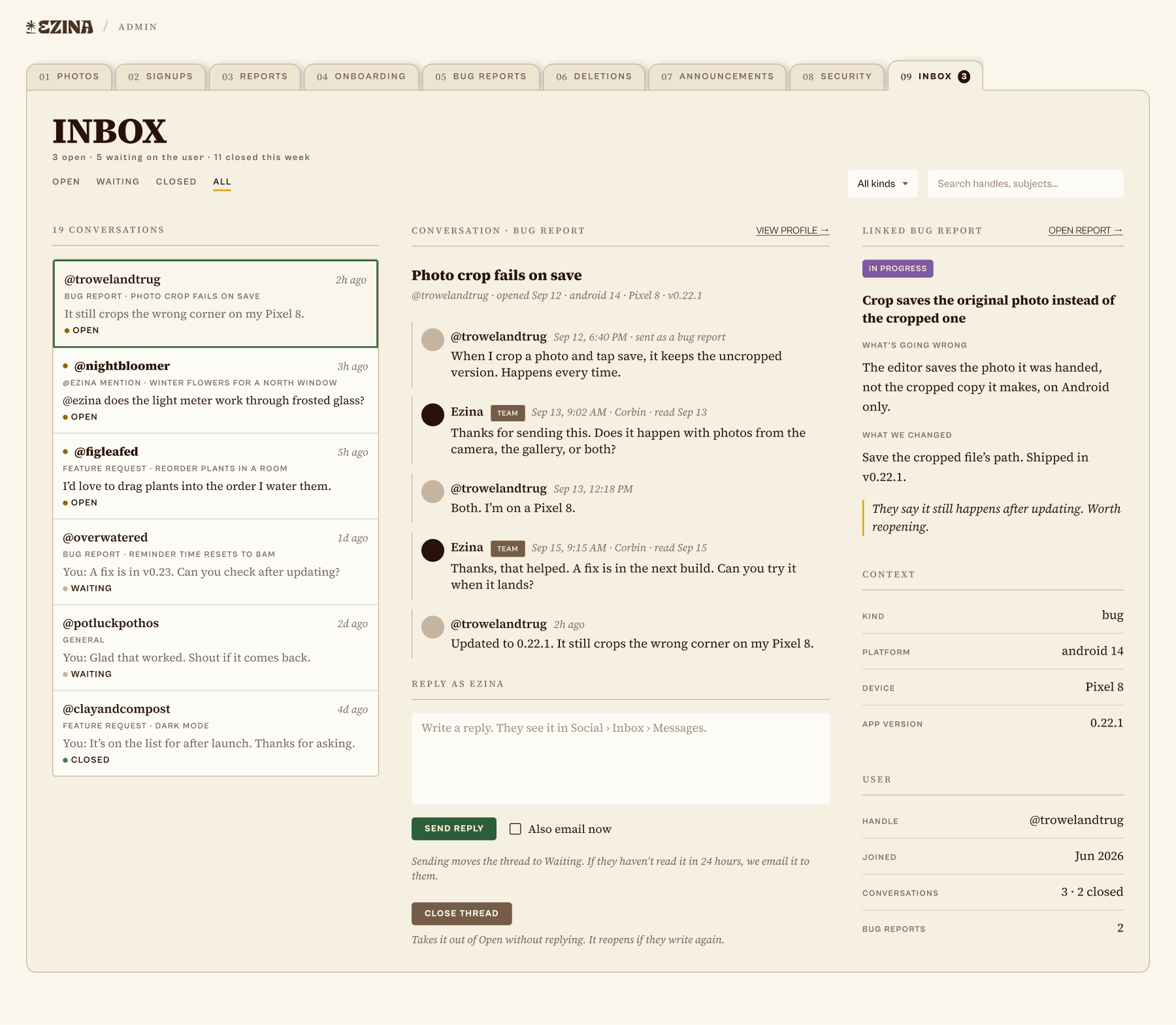
The admin panel as it stands: reports, onboarding, deletions, announcements, security, and Inbox, where a support thread, a bug reply and an @ezina mention land in one place with the agent’s candidate fix attached to the row.
Summary + Impact
Shipped solo to iOS and Android: brand, design system, app, planning engine, marketing site and admin. The research-backed promise is structural rather than editorial, so an uncredited claim cannot render at all.
What I haven’t proven yet is whether cited guidance changes what people actually plant. That’s what early access is for.
77 → 5hand-built headers replaced by one component, no screen shifted
306treatment plans live, each carrying its citation
0uncredited plant claims can render. The database refuses them
What I’m doing next.
Watch activation through early access before pushing for reach. Signups on their own won’t tell us it is working.
Turn the datasets into answers people are already searching for, and earn the first thousand members without buying them.